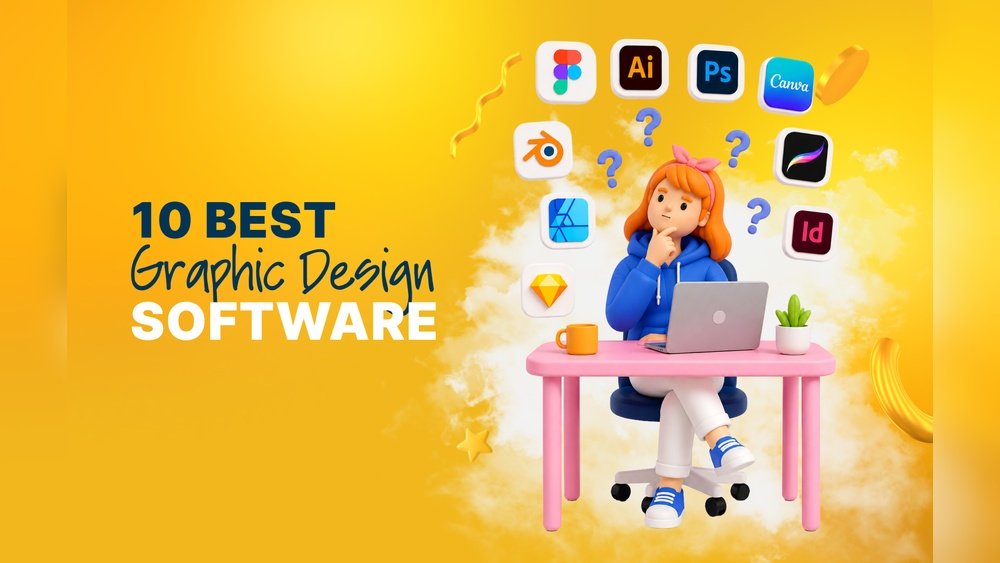
Creating visuals is now easier than ever, but choosing the right visual content creation tool can still be confusing. With so many options, you want a tool that saves time, looks professional, and fits your skill level. Whether you design for social media, marketing, websites, or presentations, the right software makes a huge difference. This guide compares the best tools, highlighting what makes each one unique, their strengths, weaknesses, and who should use them.
Canva
Canva is one of the most popular tools for creating quick, professional-looking designs. Its drag-and-drop interface is friendly for beginners, but it still offers advanced features for experienced users.
- Strengths: Huge template library, easy collaboration, lots of free elements.
- Weaknesses: Some advanced features require a paid plan. Limited control for detailed custom design.
- Best for: Social media graphics, presentations, quick marketing visuals.
Canva supports team projects and has a mobile app, making it easy to design on the go. For small businesses, the Brand Kit helps keep visual identity consistent.
Adobe Creative Cloud Express (formerly Adobe Spark)
Adobe Creative Cloud Express brings Adobe’s design power to a more accessible, web-based tool. The interface is simple, and you can create graphics, videos, and even web pages.
- Strengths: High-quality templates, easy animation, Adobe stock images.
- Weaknesses: Limited compared to full Adobe products, premium content behind a paywall.
- Best for: Marketers, educators, and those already using Adobe products.
A unique feature is quick resizing for different platforms, saving time for social media managers.
Figma
Figma is a favorite for interface design and teamwork. It’s cloud-based, so multiple people can edit a project at the same time.
- Strengths: Real-time collaboration, powerful prototyping, free plan available.
- Weaknesses: Can be overwhelming for beginners. Best for UI/UX, less for basic graphics.
- Best for: Product designers, UX/UI teams, collaborative projects.
One insight: Figma works in the browser, so there’s no need to install software—a big plus for remote teams.
Visme
Visme offers a good balance of presentations, infographics, and simple videos. It’s focused on making data look attractive and easy to understand.
- Strengths: Infographic templates, data visualizations, interactive content.
- Weaknesses: Video editing is basic. Some features need a paid plan.
- Best for: Educators, marketers, anyone making reports or infographics.
Many users overlook Visme’s analytics, which show how viewers interact with your content—a useful tool for improving engagement.
Piktochart
Piktochart is well-known for infographics and reports. It’s user-friendly and helps turn boring data into engaging visuals.
- Strengths: Simple for non-designers, good for charts and maps, affordable.
- Weaknesses: Fewer design assets than Canva, not ideal for complex layouts.
- Best for: Teachers, non-profits, and anyone presenting data.
Piktochart’s templates help avoid common design mistakes, like using the wrong color contrast for charts.
Snappa
Snappa is built for speed. It lets you make social media images in minutes, with pre-sized templates for every platform.
- Strengths: Very fast workflow, free stock photos, simple interface.
- Weaknesses: Limited advanced features, basic editing tools.
- Best for: Small businesses, bloggers, anyone who posts often.
A non-obvious tip: Snappa’s direct social sharing saves time—no need to download and upload manually.
Crello (vistacreate)
Crello (now VistaCreate) is similar to Canva but offers more animation and video features. It’s great for social posts that stand out.
- Strengths: Animated templates, affordable plans, large asset library.
- Weaknesses: Some elements cost extra, fewer integrations.
- Best for: Social media managers, content creators who want animation.
If you’re starting, Crello’s animated formats help you learn motion design basics without complicated software.
Stencil
Stencil is designed for quick, lightweight image creation. It’s less about deep design, more about speed.
- Strengths: Simple to use, direct publishing, browser extension.
- Weaknesses: Limited design flexibility, fewer templates.
- Best for: Marketers, bloggers, solo entrepreneurs.
Stencil’s integrated quote and icon search makes it ideal for motivational social posts.

Credit: slateteams.com
Comparing Key Features
Here’s a quick look at how these tools compare for popular uses:
| Tool | Templates | Animations | Infographics | Collaboration | Free Plan |
|---|---|---|---|---|---|
| Canva | Extensive | Basic | Good | Yes | Yes |
| Adobe Express | Strong | Good | Basic | Limited | Yes |
| Figma | UI/UX | Prototyping | Limited | Excellent | Yes |
| Visme | Good | Basic | Excellent | Yes | Yes |
| Piktochart | Focused | No | Excellent | Yes | Yes |
| Snappa | Good | No | Basic | No | Yes |
| Crello | Large | Excellent | Good | Limited | Yes |
| Stencil | Basic | No | No | No | Yes |
Pricing Comparison
Cost matters for most users. Below is an overview of starting prices for individual plans (monthly, USD):
| Tool | Free Plan | Paid Plan (monthly) |
|---|---|---|
| Canva | Yes | $12.99 |
| Adobe Express | Yes | $9.99 |
| Figma | Yes | $12 |
| Visme | Yes | $15 |
| Piktochart | Yes | $14 |
| Snappa | Yes | $10 |
| Crello | Yes | $10 |
| Stencil | Yes | $9 |
Remember, many tools have annual discounts and special offers. Always check for free trials before buying.

Credit: www.shopify.com
How To Choose The Right Tool
Start by asking what you need most:
- Do you want speed and simplicity? Try Snappa or Stencil.
- Need animation or video? Crello (VistaCreate) or Adobe Express are strong.
- Making infographics and reports? Visme or Piktochart will serve you well.
- Working in a team? Figma and Canva have excellent collaboration features.
- Professional branding? Canva and Visme’s brand kits are helpful.
A common mistake is chasing every feature. Focus on your main tasks—most users only use a few features regularly.
Frequently Asked Questions
What Is The Best Free Visual Content Creation Tool?
Canva and Figma both offer strong free plans. Canva is best for general graphics, while Figma shines for team UI/UX work.
Can I Use These Tools For Commercial Projects?
Yes, most tools allow commercial use, but check the license for stock images and elements. Some assets may need extra permission.
Which Tool Is Best For Animated Social Media Posts?
Crello (VistaCreate) leads for animation, followed by Adobe Express. They both offer animated templates and easy export for Instagram or Facebook.
What’s The Difference Between Canva And Adobe Express?
Canva is broader with more templates and integrations. Adobe Express offers high-quality design and better animation, plus Adobe stock access. Choose based on your specific needs.
Where Can I Learn More About Design Basics?
For more on design principles, color, and layout, visit Canva Design School for free tutorials.
Finding the right visual content creation tool is about matching features with your workflow. Most tools offer free versions, so experiment before committing. With the right choice, making stunning visuals becomes much easier—even if you’re not a designer.

Credit: www.snapsurveys.com
