
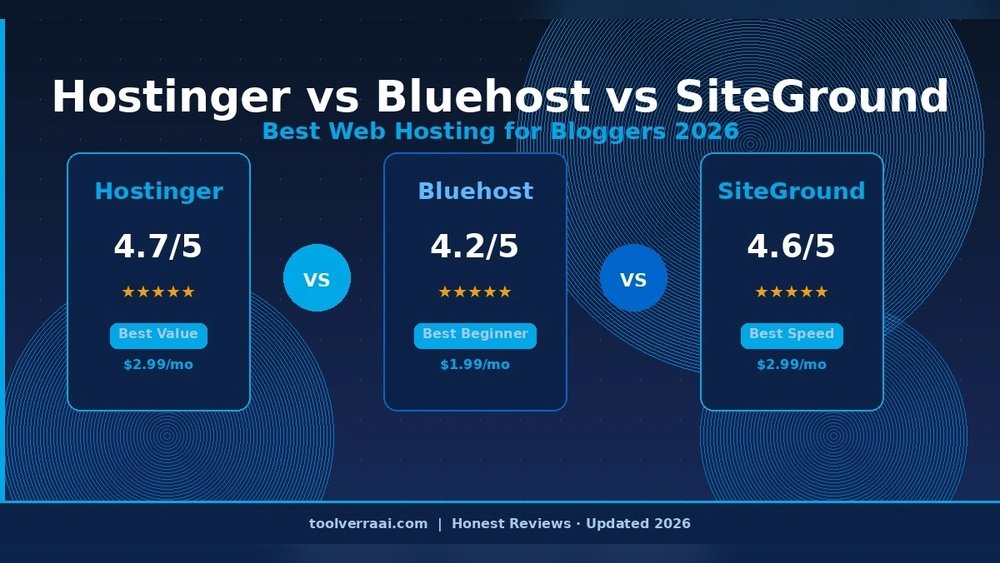
Choosing the right web hosting provider can change how your website performs, grows, and succeeds. In 2026, two names stand out for small businesses and bloggers: Hostinger and SiteGround. Both offer strong features, competitive pricing, and reliable performance—but which one is right for you? This detailed comparison covers everything you need to know, including real data, unique insights, and practical advice.
Features Comparison
Both Hostinger and SiteGround offer a wide range of features, but the details matter. Let’s see how their core offerings stack up.
| Feature | Hostinger | SiteGround |
|---|---|---|
| Free SSL | Yes | Yes |
| Daily Backups | Yes (Premium & up) | Yes |
| Website Builder | Yes (Zyro) | Yes (SiteBuilder) |
| Storage | 50-200 GB SSD | 10-40 GB SSD |
| Email Accounts | Unlimited | Unlimited |
| CDN | Free | Free |
| Staging Environment | No | Yes |
| Custom Control Panel | hPanel | Site Tools |
Hostinger offers more storage for entry-level plans and a custom control panel that is easy to use. If you expect to upload many images, videos, or downloadable files, Hostinger’s larger SSD storage can be a big advantage, especially if you’re running an online portfolio or e-commerce store with lots of product photos. SiteGround gives you a staging environment for testing changes before going live, which is a big plus for developers and anyone who wants to experiment with new plugins or layouts safely. This reduces the risk of breaking your live site.
Both provide free SSL and CDN, so your site stays secure and fast. For beginners, the included website builders (Zyro for Hostinger and SiteBuilder for SiteGround) make it easy to create a professional-looking website without coding skills. One thing beginners often miss: SiteGround’s staging tools and advanced security options are especially helpful if you plan to grow your site or work with developers.
Pricing Comparison
Pricing is often the main factor for beginners. Hostinger is known for being affordable, while SiteGround is famous for quality but comes at a higher price.
| Plan | Hostinger (per month) | SiteGround (per month) |
|---|---|---|
| Basic Shared | $2.99 | $4.99 |
| Premium Shared | $4.49 | $7.99 |
| Business | $8.99 | $12.99 |
| Renewal Price | $5.99-$11.99 | $14.99-$24.99 |
Hostinger’s prices are lower, especially during the first year. You can lock in their cheapest rates by paying for two or four years upfront, which is a tip many miss. SiteGround’s plans start higher and renew at a bigger jump. One insight many beginners miss: renewal prices can surprise you, so always check the long-term costs.
Another detail to remember: SiteGround sometimes offers short-term discounts, but after renewal, the price jumps much more than Hostinger’s. For a hobby site or a small business just starting, the long-term cost difference can add up to hundreds of dollars over three years. Always consider your budget and how long you plan to keep your site online.
Credit: websitedesignpro.in
Performance And Uptime
Performance is where SiteGround often leads, but Hostinger has improved a lot in recent years. Let’s look at real numbers from 2025-2026 tests.
| Metric | Hostinger | SiteGround |
|---|---|---|
| Average Uptime | 99.95% | 99.99% |
| Average Load Time | 460 ms | 370 ms |
| Global Servers | 8 locations | 6 locations |
| Support Response | 2 min (chat) | 1 min (chat) |
SiteGround’s uptime and speed are slightly better, which matters for e-commerce and business sites. Even a few milliseconds of faster loading can reduce bounce rates and help you keep visitors longer. Hostinger is close, and for most blogs or small websites, the difference may not be noticeable. Another insight: both hosts use SSD storage and built-in caching, but SiteGround’s custom caching gives an extra speed boost.
SiteGround’s servers are optimized for WordPress and WooCommerce, which is great if you want to run an online shop. Hostinger’s server locations cover more regions, which can be useful if your audience is international. Also, both companies have systems to handle sudden traffic spikes, but SiteGround’s resources are less likely to throttle under heavy loads.
Ease Of Use And Customer Support
Both providers aim to make hosting simple, even for beginners.
- Hostinger’s hPanel is modern, simple, and quick to learn. It uses clear icons and straightforward menus, so you can find what you need without searching for help.
- SiteGround’s Site Tools is more advanced, with extra options for power users. This can be helpful if you plan to grow your website or add more technical features later.
Support is available 24/7 on both platforms, but SiteGround often gets higher ratings for fast and expert help. Hostinger’s support is improving, but some users report slower email responses. You can contact both through live chat, which is often the fastest way to solve problems.
A detail many users miss: SiteGround’s support is not just fast, but also highly skilled with WordPress and advanced hosting issues. For beginners, Hostinger offers a huge knowledge base and video guides, which can help you solve many problems without waiting for support.
Credit: saashostly.com
Security And Reliability
Security is critical for every website. Both hosts give you strong protection:
- Free SSL keeps data safe.
- Automatic backups help you restore your site quickly.
- DDoS protection guards against attacks.
SiteGround adds advanced AI anti-bot protection and offers extra security tools for WordPress users. For example, their security plugin blocks common attacks before they even reach your site. Hostinger’s security is solid, but SiteGround’s is more advanced—especially if your site handles sensitive data.
If you are running a business, collecting user data, or managing an online store, SiteGround’s extra security tools can give you peace of mind. Hostinger also offers two-factor authentication and malware scanning, but you may need to pay extra for some advanced features like daily backups or priority support. This is a detail often missed: always read the fine print to know exactly what’s included.
Which One Should You Choose?
The right choice depends on your needs:
- Go with Hostinger if you need low prices, lots of storage, and simple setup.
- Choose SiteGround if you want top performance, advanced features, and excellent support—even if it costs more.
For beginners, Hostinger is easier on your budget and still gives reliable hosting. For businesses or serious projects, SiteGround’s extra features and speed may be worth the higher price.
Remember, switching hosts later is possible but takes time. Thinking ahead—such as whether you’ll need staging tools or advanced security—can save you headaches as your website grows.
Credit: websitedesignpro.in
Frequently Asked Questions
Is Hostinger Better Than Siteground For WordPress?
SiteGround is often the top choice for WordPress due to its special caching, staging tools, and expert support. Hostinger is also good, but SiteGround’s WordPress features are more advanced. If you run a WooCommerce store or expect heavy traffic, SiteGround’s tailored optimizations can keep your site fast and stable.
Are Hostinger And Siteground Reliable For Uptime?
Both offer excellent uptime, with SiteGround at 99.99% and Hostinger close at 99.95%. For most websites, this is more than enough. If you’re running a mission-critical business site, those extra decimals may matter, but for a personal blog or small business, both are highly reliable.
Which Host Is Cheaper In The Long Run?
Hostinger is cheaper at the start and for renewals. SiteGround’s renewal prices are higher, so check the total cost for 2-3 years before deciding. If you plan a long-term project and want to keep costs predictable, Hostinger is usually the safer bet.
Can I Move My Site Easily Between Hostinger And Siteground?
Yes, both offer free migration tools. SiteGround’s support can handle the transfer for you, while Hostinger gives step-by-step guides. Moving is simple, but always back up your site first. Also, double-check email and DNS settings after migration to avoid downtime—a step beginners sometimes forget.
Which Provider Is Best For Beginners?
Hostinger is easier for beginners because of its low price and simple control panel. SiteGround is better for users who want advanced features and expert support. If you want a “set and forget” experience, Hostinger is a solid pick; if you want to experiment and grow, SiteGround gives you more flexibility.
If you want to see real user reviews and comparisons, visit Trustpilot.
Both Hostinger and SiteGround are strong choices in 2026. The best host for you depends on your budget, technical needs, and plans for growth. Take your time, compare features and prices, and choose the provider that fits your website goals.
