Introduction
Managing projects effectively is one of the biggest challenges small businesses face. As teams grow and projects become more complex, relying on spreadsheets, emails, and chat messages often leads to missed deadlines, poor communication, and reduced productivity.
Project management software helps businesses organize tasks, track progress, collaborate with team members, and complete projects on time. The right platform can significantly improve workflow efficiency while reducing operational bottlenecks.
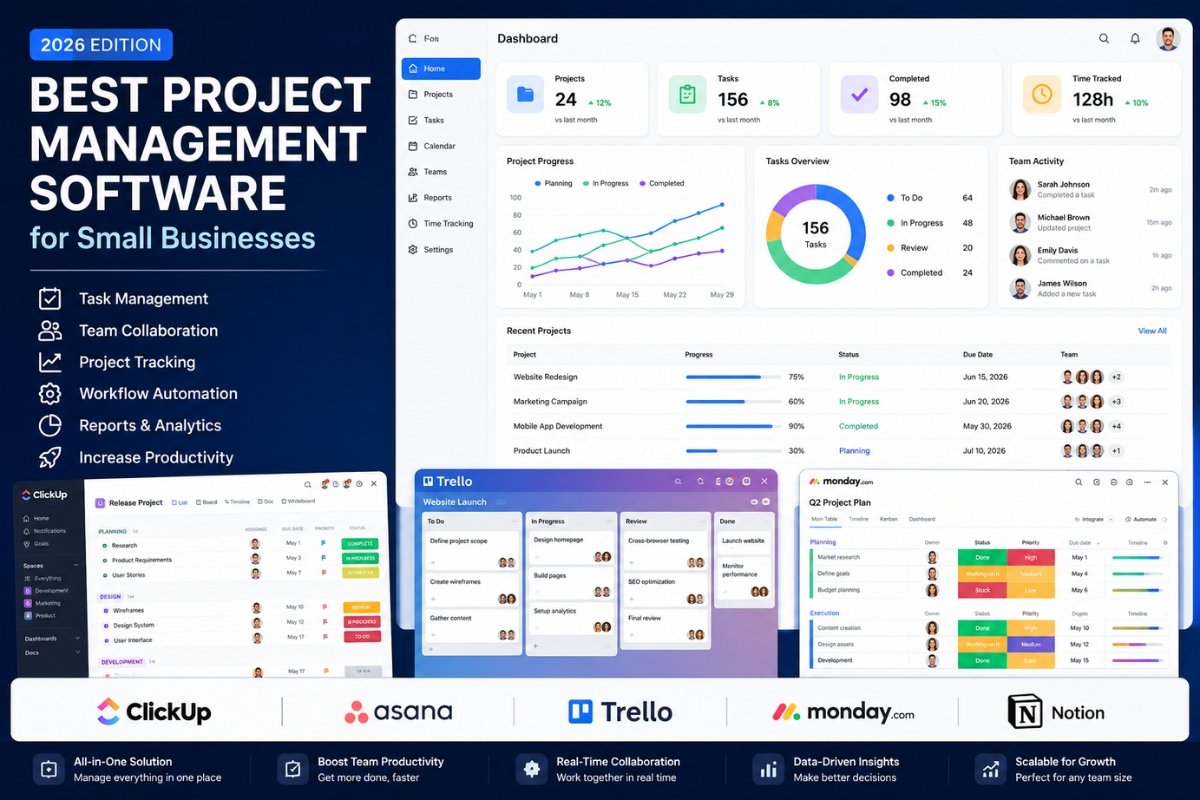
In 2026, project management software has evolved beyond simple task tracking. Modern solutions now include automation, reporting, time tracking, AI-powered productivity features, and advanced collaboration tools.
This guide compares the best project management software for small businesses and helps you choose the right solution based on your needs and budget.
Why Small Businesses Need Project Management Software
Small businesses often operate with limited resources. Every hour saved through better organization directly impacts profitability.
Project management software helps businesses:
• Organize tasks and responsibilities
• Improve team communication
• Track project progress
• Meet deadlines consistently
• Increase accountability
• Reduce manual work
• Improve resource allocation
• Enhance productivity
Without a structured system, projects can quickly become difficult to manage.
What to Look for in Project Management Software
Before choosing a platform, consider these factors.
Ease of Use
A complicated platform slows adoption.
The best software should be intuitive and easy for teams to learn.
Collaboration Features
Look for:
• Comments
• File sharing
• Team communication
• Notifications
Automation
Automation reduces repetitive work such as:
• Status updates
• Task assignments
• Reminders
Reporting
Good reporting helps managers identify bottlenecks and monitor progress.
Pricing
Small businesses should balance features and affordability.
Best Project Management Software for Small Businesses
1. ClickUp
Best Overall Project Management Software
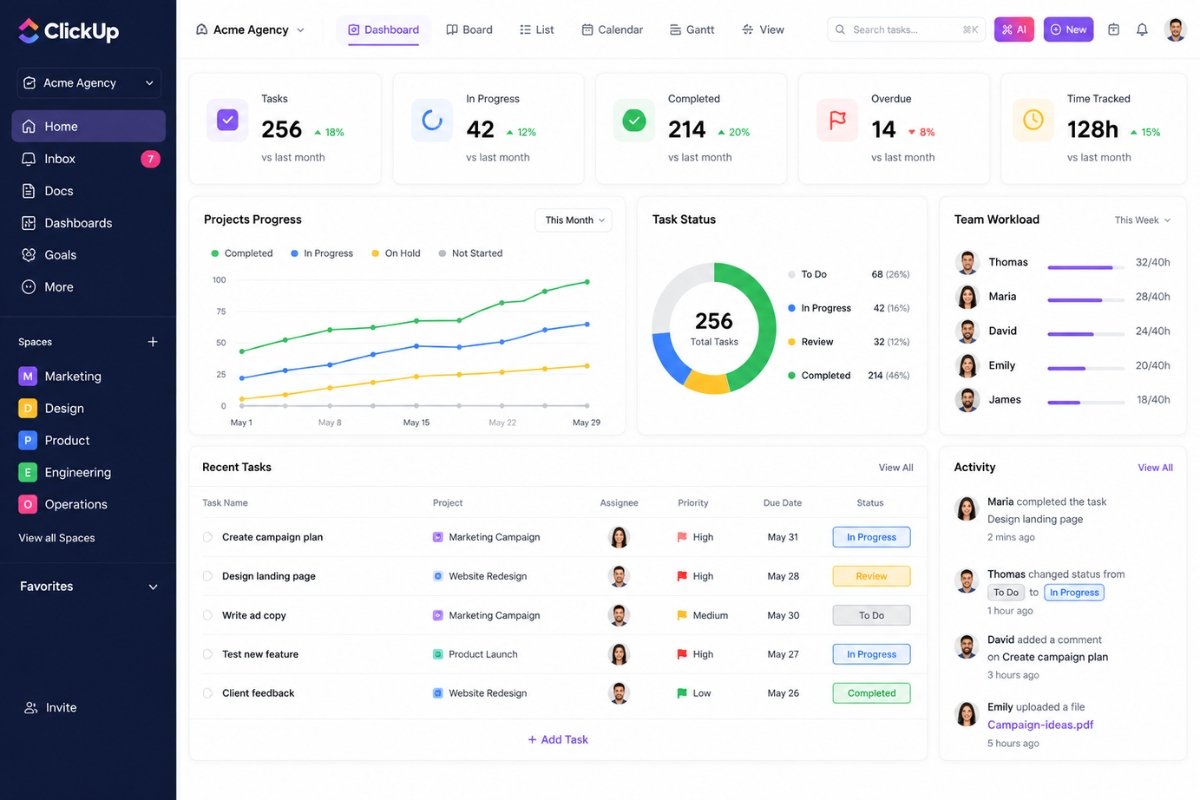
ClickUp has become one of the most popular project management platforms for businesses of all sizes.
It combines project management, task tracking, documentation, reporting, and automation into one platform.
Key Features
• Task management
• Time tracking
• Goals and objectives
• Dashboards
• Automation
• Team collaboration
• Document management
Pros
• Excellent feature set
• Highly customizable
• Strong free plan
• Advanced reporting
Cons
• Learning curve for beginners
Best For
Businesses looking for an all-in-one productivity solution.
2. Asana
Best for Team Collaboration
Asana focuses on helping teams coordinate projects efficiently.
Its clean interface and collaboration features make it popular among growing businesses.
Key Features
• Task assignment
• Timeline view
• Project tracking
• Workflow automation
• Team communication
Pros
• Easy collaboration
• Excellent project visibility
• User-friendly design
Cons
• Premium plans can become expensive
Best For
Teams managing multiple projects simultaneously.
3. Trello
Best for Simplicity
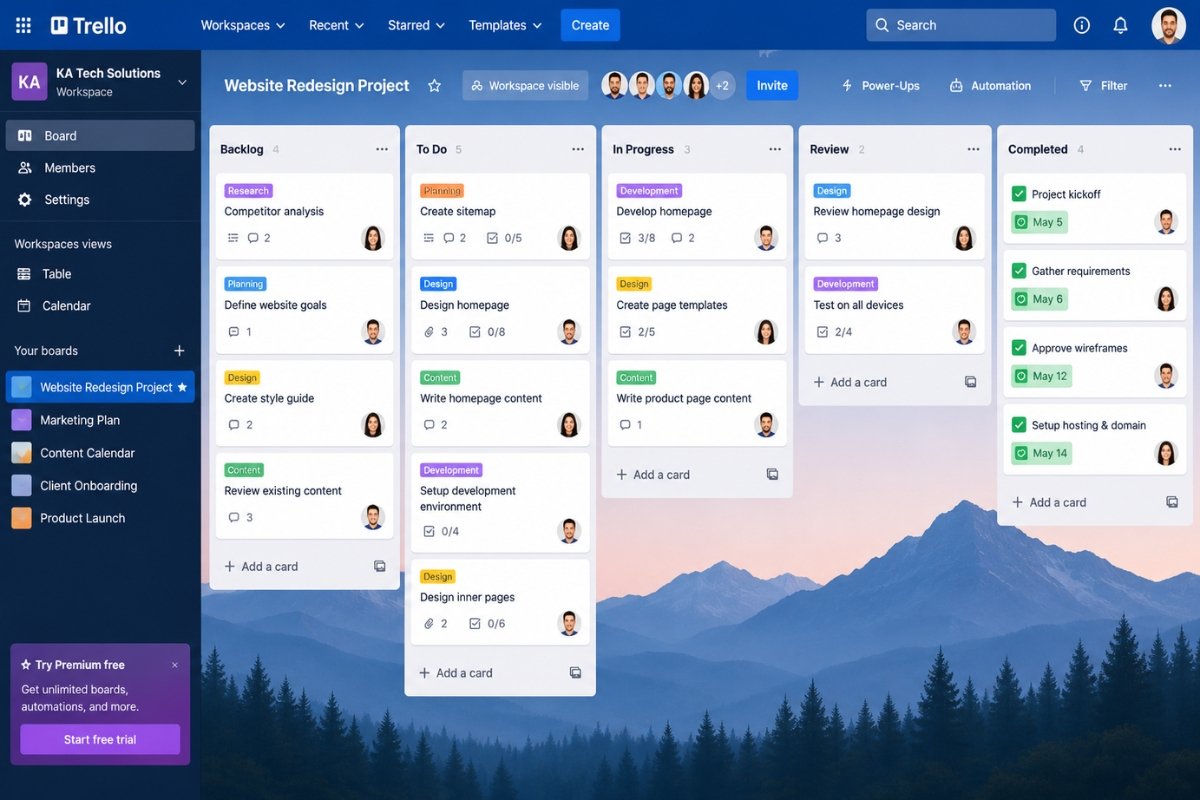
Trello uses a Kanban board system that makes project management simple and visual.
It is ideal for businesses that need lightweight task tracking.
Key Features
• Boards
• Lists
• Cards
• Checklists
• File attachments
Pros
• Very easy to use
• Quick setup
• Excellent free version
Cons
• Limited advanced functionality
Best For
Startups and small teams.
4. Monday.com
Best for Workflow Management
Monday.com is known for its visual interface and workflow customization.
It allows businesses to create processes tailored to their specific operations.
Key Features
• Workflow automation
• Resource management
• Dashboards
• Team collaboration
• Reporting
Pros
• Beautiful interface
• Strong automation
• Flexible workflows
Cons
• Higher pricing
Best For
Businesses managing complex workflows.
5. Notion
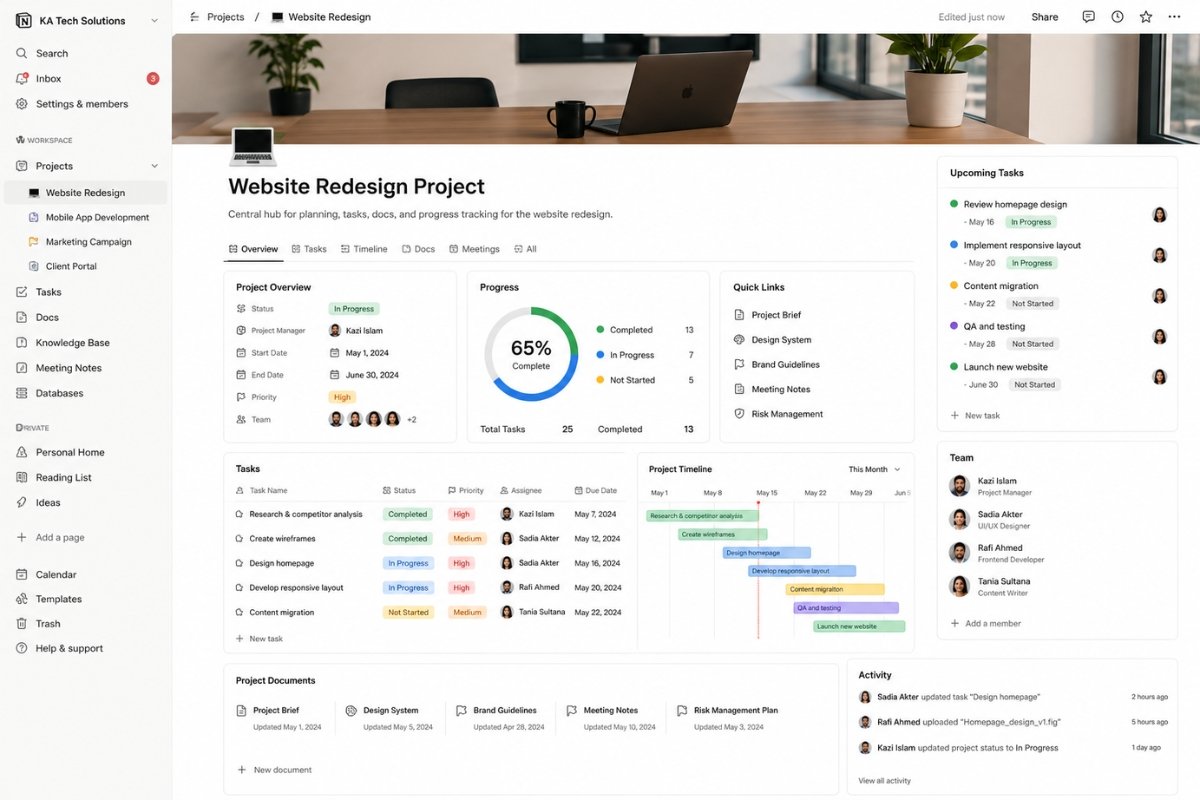
Best for Documentation and Project Planning
Notion combines project management with knowledge management.
Many businesses use it as both a project tracker and internal documentation system.
Key Features
• Documents
• Databases
• Task tracking
• Team collaboration
• Knowledge base
Pros
• Extremely flexible
• Excellent documentation
• Affordable plans
Cons
• Learning curve
Best For
Teams needing documentation and project management together.
Feature Comparison Table
| Feature | ClickUp | Asana | Trello | Monday.com | Notion |
|---|---|---|---|---|---|
| Task Management | Excellent | Excellent | Good | Excellent | Good |
| Automation | Excellent | Good | Limited | Excellent | Limited |
| Reporting | Excellent | Good | Basic | Excellent | Basic |
| Collaboration | Excellent | Excellent | Good | Excellent | Good |
| Documentation | Good | Limited | Limited | Good | Excellent |
| Free Plan | Yes | Yes | Yes | Trial | Yes |
Pricing Comparison
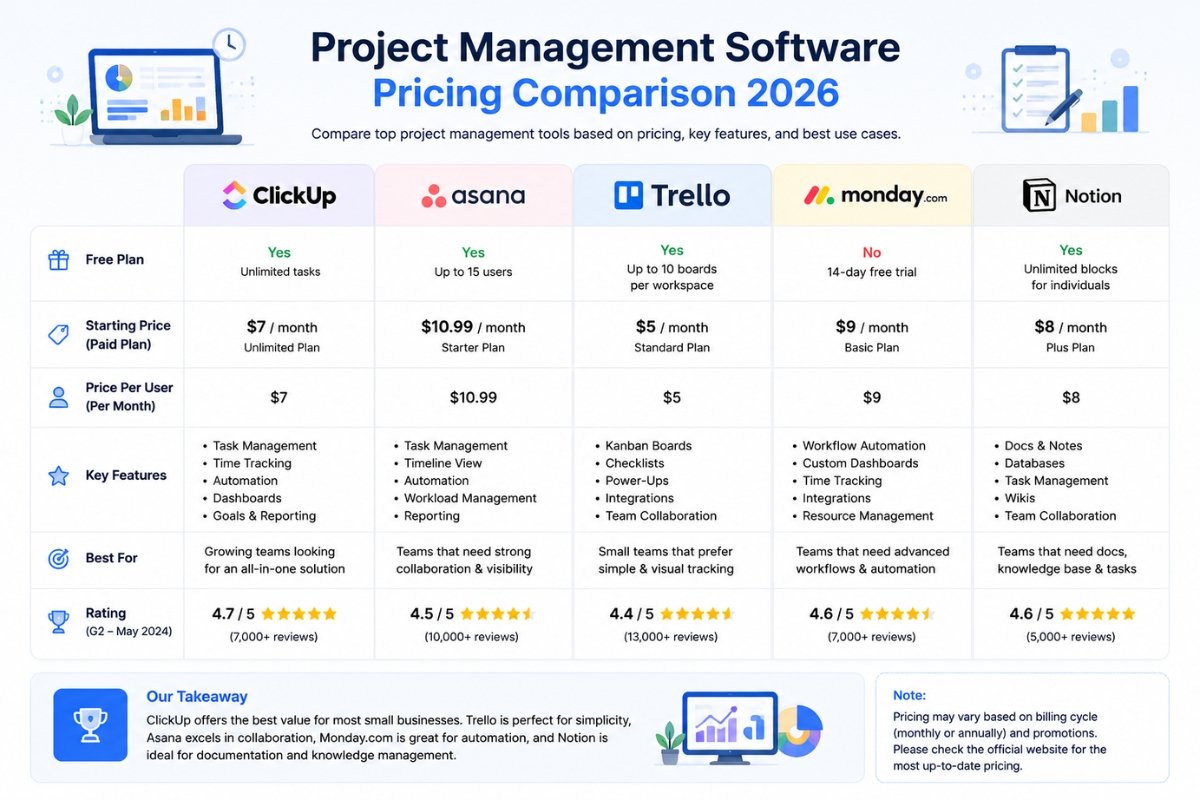
ClickUp
Offers one of the best free plans available.
Paid plans provide advanced automation and reporting.
Asana
Good free version with scalable premium options.
Trello
Affordable and beginner-friendly.
Monday.com
Premium-focused platform.
Suitable for businesses requiring advanced workflows.
Notion
Affordable pricing with excellent flexibility.
Which Project Management Software Is Best?
Best Overall
ClickUp
Reason:
Best balance of features, automation, reporting, and pricing.
Best for Collaboration
Asana
Reason:
Strong team coordination and project visibility.
Best for Simplicity
Trello
Reason:
Easy setup and minimal learning curve.
Best for Workflow Automation
Monday.com
Reason:
Powerful workflow customization.
Best for Documentation
Notion
Reason:
Combines project management and knowledge management.
Benefits of Using Project Management Software
Businesses using project management tools often experience:
• Better communication
• Increased productivity
• Improved accountability
• Faster project completion
• Better resource management
• Improved client satisfaction
• Reduced project risks
These benefits directly impact profitability and growth.
Common Mistakes When Choosing Software
Many businesses select software without considering actual needs.
Avoid:
• Choosing based only on price
• Ignoring scalability
• Overcomplicated systems
• Lack of team training
• Poor integration support
The best platform is one that your team will actually use consistently.
Cloud-Based vs Traditional Project Management Tools
Cloud platforms dominate the market in 2026.
Advantages include:
• Access from anywhere
• Automatic updates
• Easier collaboration
• Better scalability
• Lower maintenance costs
For most small businesses, cloud-based solutions are the preferred option.
Future of Project Management Software
Project management platforms continue to evolve.
Emerging trends include:
• AI-powered task recommendations
• Automated workflow optimization
• Predictive project analytics
• Enhanced collaboration features
• Better integrations
Businesses adopting modern tools gain competitive advantages.
Final Verdict
Project management software is no longer optional for growing businesses.
The right platform helps teams stay organized, collaborate efficiently, and complete projects faster.
Final Recommendations:
- ClickUp – Best Overall
- Asana – Best Collaboration
- Trello – Best Simplicity
- Monday.com – Best Workflow Automation
- Notion – Best Documentation
For most small businesses, ClickUp provides the strongest balance of features, flexibility, and value.
Looking for business productivity tools? Read our guide on Google Workspace vs Microsoft 365.
Businesses managing customer relationships should also read Best CRM Software for Small Businesses.
