
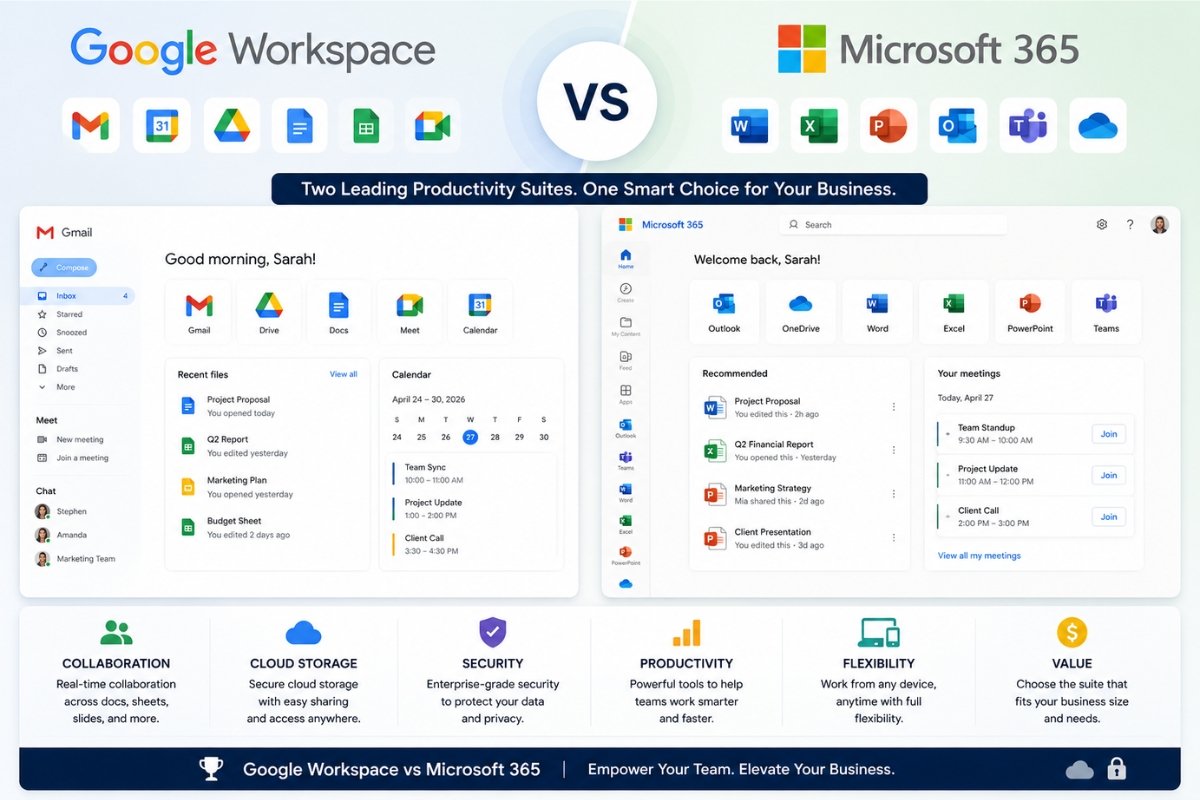
Introduction
Choosing the right productivity suite is one of the most important technology decisions for any business.
Two of the biggest platforms dominate the business productivity market:
Google Workspace and Microsoft 365.
Both offer professional email, cloud storage, document creation, collaboration tools, communication apps, and enterprise-grade security.
But they are designed differently.
Google Workspace focuses on cloud-native collaboration and simplicity.
Microsoft 365 focuses on powerful desktop productivity, advanced business tools, and enterprise integration.
So which one is better for your business?
This guide compares features, pricing, collaboration, security, storage, and real business use cases.
Quick Comparison Overview
| Feature | Google Workspace | Microsoft 365 |
|---|---|---|
| Ease of Use | Excellent | Very Good |
| Collaboration | Excellent | Excellent |
| Desktop Apps | Limited | Excellent |
| Cloud Apps | Excellent | Excellent |
| Storage | Good | Excellent |
| Email Hosting | Excellent | Excellent |
| Security | Strong | Strong |
| Pricing | Simple | More complex |
| Best For | Cloud-first teams | Traditional + enterprise teams |
What Is Google Workspace?
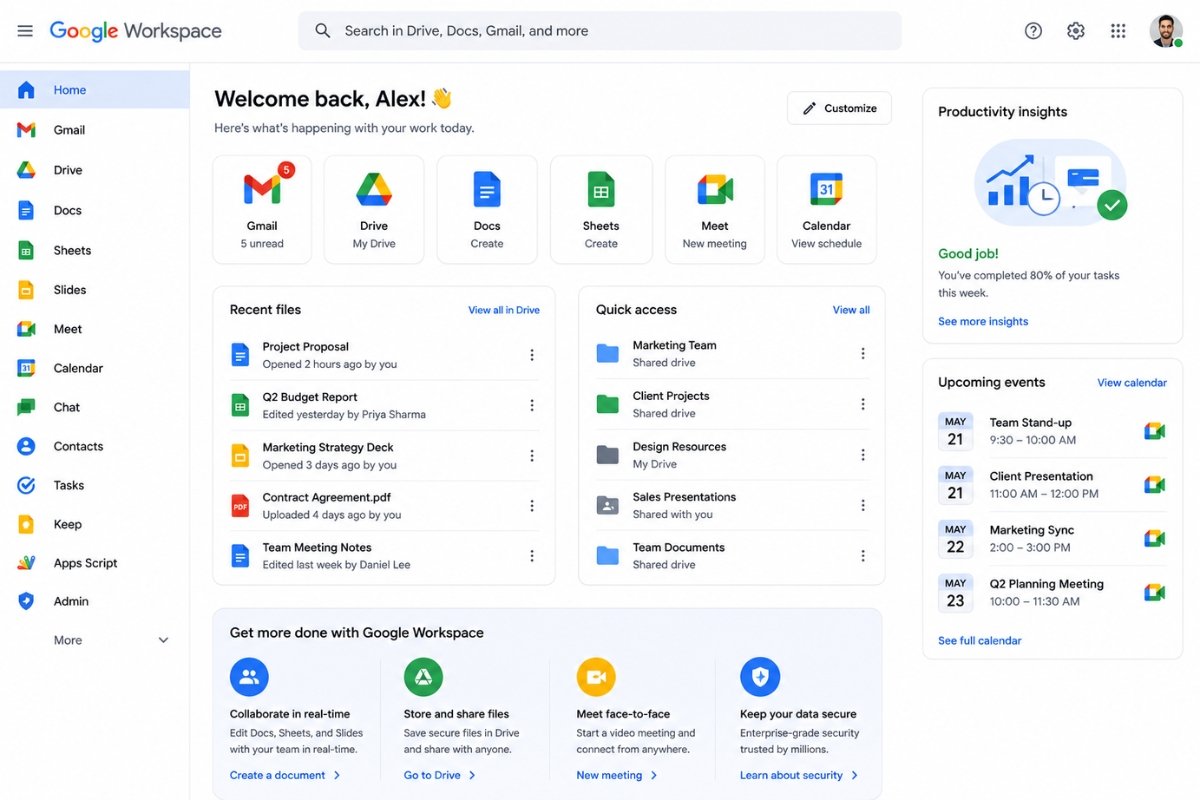
Google Workspace is Google’s business productivity platform.
It includes:
• Gmail for business
• Google Drive
• Google Docs
• Google Sheets
• Google Slides
• Google Meet
• Google Calendar
• Google Chat
Businesses use it for:
• Email hosting
• Team collaboration
• File sharing
• Online meetings
• Cloud document editing
Its biggest strength is simplicity and real-time collaboration.
What Is Microsoft 365?
Microsoft 365 is Microsoft’s productivity ecosystem.
It includes:
• Outlook
• Word
• Excel
• PowerPoint
• OneDrive
• Teams
• Exchange
• SharePoint
Businesses use it for:
• Professional email
• Desktop productivity
• Cloud collaboration
• File storage
• Business communication
Its biggest strength is power and flexibility.
Pricing Comparison
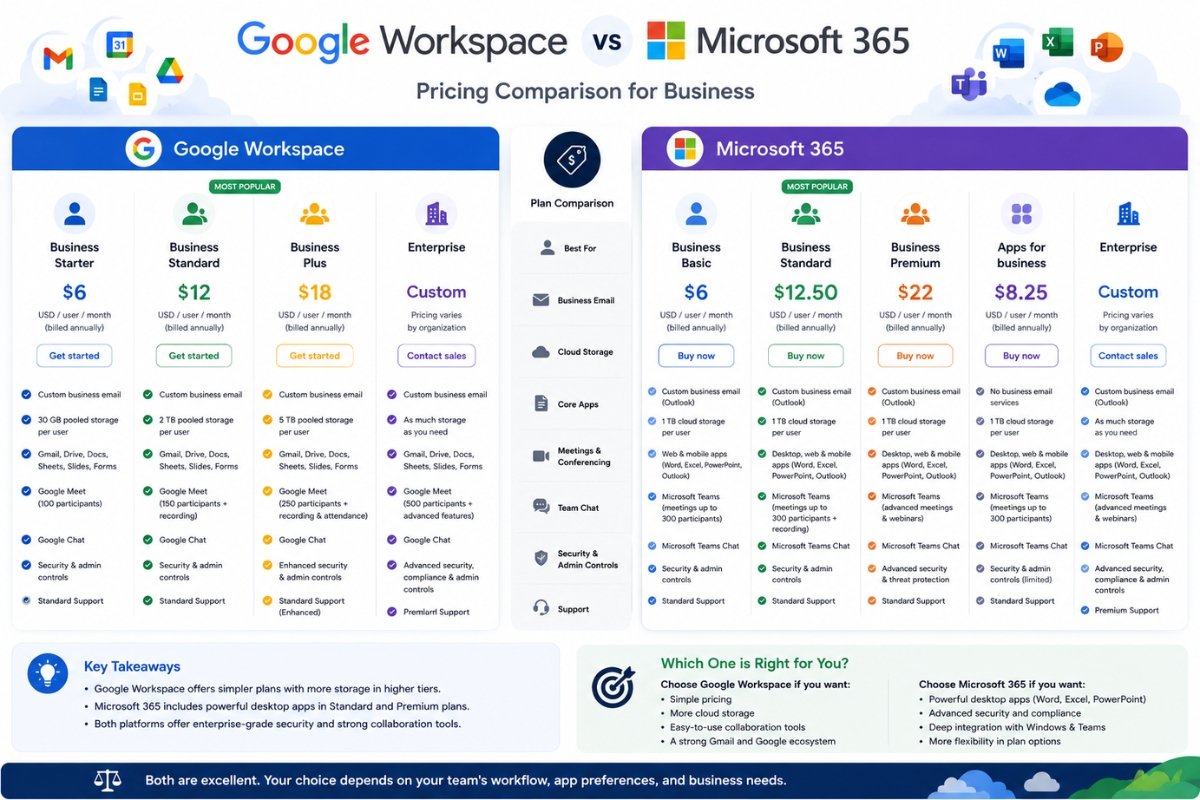
Pricing changes over time, but general positioning:
Google Workspace
Usually offers simpler pricing tiers.
Benefits:
• Easy plan structure
• Predictable pricing
• Cloud-first packages
Microsoft 365
Offers multiple business tiers.
Benefits:
• Flexible packages
• Desktop software included in many plans
• Enterprise scalability
Winner
Depends on business needs.
Google = simpler pricing
Microsoft = more flexibility
Email Comparison
Google Workspace Email
Business Gmail benefits:
• Clean interface
• Fast performance
• Excellent spam filtering
• Easy management
• Strong search functionality
Best for:
Teams familiar with Gmail.
Microsoft 365 Email
Outlook benefits:
• Advanced email organization
• Folder management
• Enterprise controls
• Deep integration with Office tools
Best for:
Traditional business email workflows.
Winner
For simplicity:
Google Workspace
For advanced business email:
Microsoft 365
Collaboration Tools Comparison
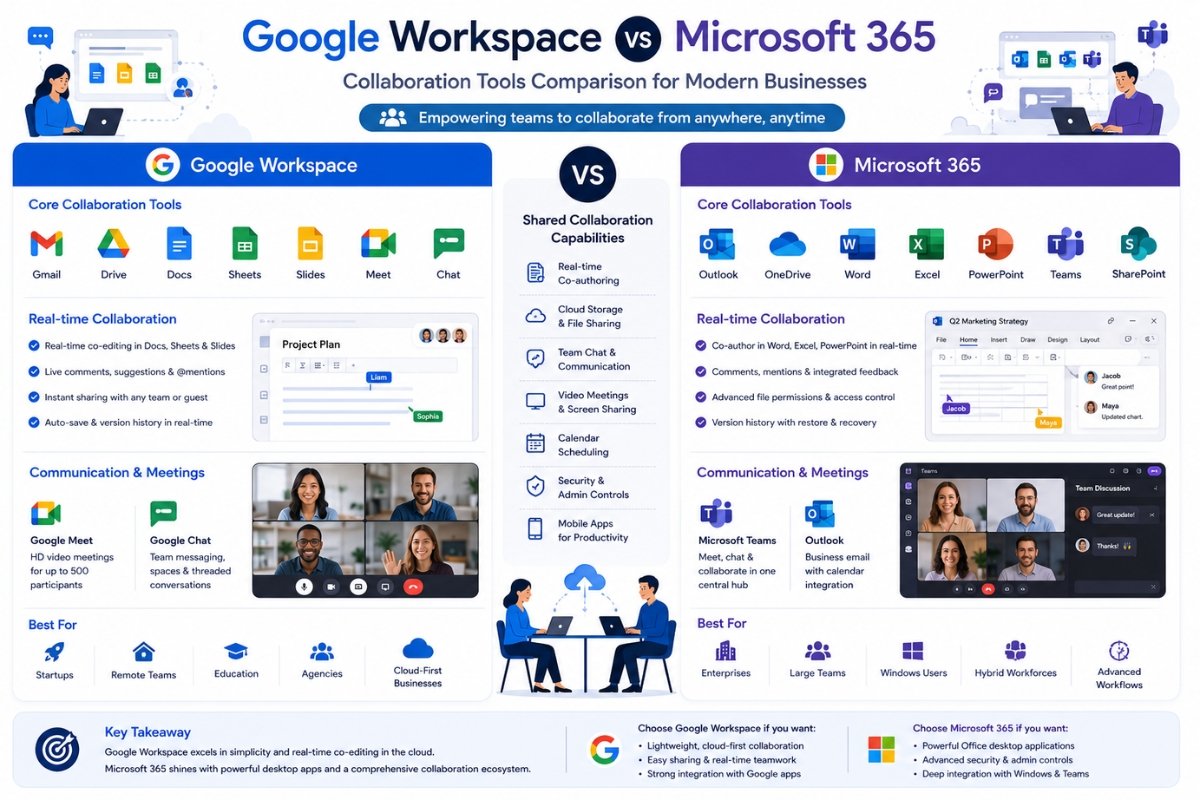
Google Workspace Collaboration
Google excels in real-time teamwork.
Examples:
• Multiple users editing Docs live
• Instant comments
• Shared Drive collaboration
• Seamless browser workflow
Best for:
Remote teams
Startups
Agencies
Microsoft 365 Collaboration
Microsoft collaboration includes:
• Teams meetings
• Word co-authoring
• Excel collaboration
• SharePoint workflows
Very powerful, but sometimes heavier.
Winner
Slight edge:
Google Workspace
Apps Comparison
Google Apps
Includes:
• Docs
• Sheets
• Slides
• Meet
• Chat
• Forms
Strengths:
Simple cloud-native apps
Weakness:
Less advanced for heavy professional work
Microsoft Apps
Includes:
• Word
• Excel
• PowerPoint
• Teams
• Outlook
• Access (some plans)
• Publisher (some plans)
Strengths:
Professional-grade tools
Weakness:
More complexity
Winner
Microsoft 365
Especially for advanced office work.
Storage Comparison
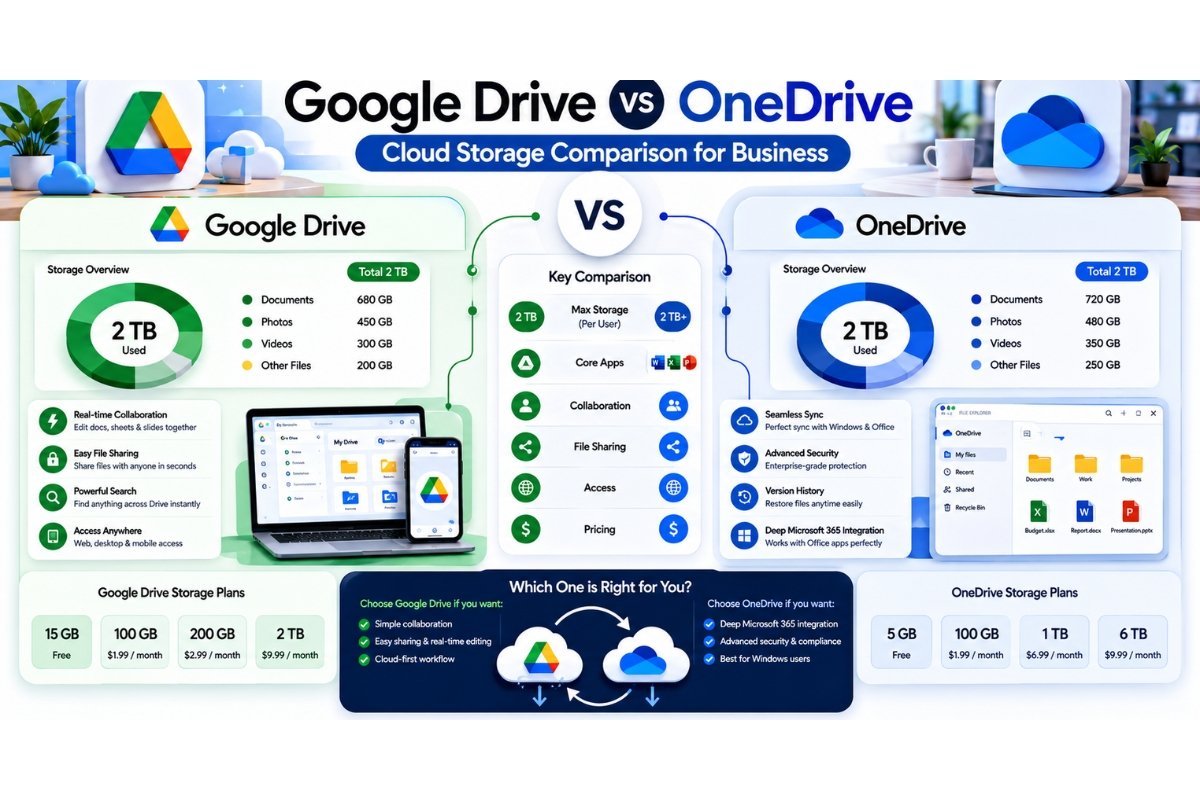
Google Drive
Strengths:
• Easy sharing
• Browser access
• Excellent search
• Clean UX
OneDrive
Strengths:
• Deep Windows integration
• Better desktop sync
• Business management controls
Winner
For simple cloud storage:
Google Drive
For enterprise workflows:
OneDrive
Security Comparison
Both platforms offer strong security.
Google security:
• 2FA
• Admin controls
• Endpoint management
• Spam protection
Microsoft security:
• Advanced compliance
• Identity management
• Security policies
• Enterprise governance
Winner
For enterprise:
Microsoft 365
For standard SMB use:
Both excellent
Ease of Use
Google Workspace
Extremely beginner-friendly.
Ideal for:
• Startups
• Small teams
• Non-technical businesses
Microsoft 365
Powerful but heavier.
Ideal for:
• Established companies
• Experienced teams
Winner
Google Workspace
Remote Work Comparison
Google strengths:
• Browser-first workflow
• Fast collaboration
• Easy document sharing
Microsoft strengths:
• Teams ecosystem
• Strong meeting workflows
• Hybrid work support
Winner
Close call
Google slight edge for simplicity
Microsoft edge for enterprise remote teams
Best for Different Business Types
Startups
Winner:
Google Workspace
Reason:
Fast setup + easy collaboration
Small Businesses
Winner:
Google Workspace
Reason:
Simple management
Corporate Teams
Winner:
Microsoft 365
Reason:
Advanced enterprise ecosystem
Accounting Teams
Winner:
Microsoft 365
Reason:
Excel power
Creative Agencies
Winner:
Google Workspace
Reason:
Fast collaboration
Windows Businesses
Winner:
Microsoft 365
Reason:
Native integration
Pros and Cons
Google Workspace Pros
• Very easy to use
• Excellent collaboration
• Fast browser workflow
• Great Gmail experience
• Clean UI
Google Workspace Cons
• Limited desktop app strength
• Less powerful spreadsheets than Excel
Microsoft 365 Pros
• Powerful desktop tools
• Best Excel environment
• Enterprise-grade ecosystem
• Strong security features
• Flexible deployment
Microsoft 365 Cons
• More complexity
• Pricing confusion for some businesses
Performance Comparison
Google:
Lightweight
Fast in browser
Excellent cloud experience
Microsoft:
Powerful desktop performance
Stronger heavy document workflows
Winner:
Depends on workload
Integration Ecosystem
Google integrates with:
• Slack
• Zoom
• Trello
• Asana
• CRM tools
Microsoft integrates with:
• Teams ecosystem
• SharePoint
• Dynamics
• Power Platform
• Enterprise systems
Winner
Enterprise:
Microsoft
General SaaS:
Final Comparison Score
| Category | Winner |
|---|---|
| Ease of Use | |
| Collaboration | |
| Desktop Apps | Microsoft |
| Tie | |
| Security | Microsoft |
| Storage | Tie |
| Pricing Simplicity | |
| Enterprise Features | Microsoft |
Final:
Google: 4
Microsoft: 3
Tie categories excluded.
Final Verdict
Choose Google Workspace if:
• You want simplicity
• Your team works mostly online
• Real-time collaboration matters
• You prefer Gmail
Choose Microsoft 365 if:
• You need Word/Excel power
• Your business depends on desktop apps
• Enterprise security matters
• Windows integration matters
Best Recommendation
For most startups and modern small businesses:
Google Workspace wins.
For traditional businesses, finance-heavy teams, and enterprise workflows:
Microsoft 365 wins.
If you’re exploring modern business productivity solutions, you may also like our guide on Best AI Tools for Business Productivity.
If your business is comparing operational software systems, read our detailed comparison on CRM vs ERP.
For official product details, visit Google Workspace.
For Microsoft’s official business plans and features, visit Microsoft 365 Business.

2 thoughts on “Google Workspace vs Microsoft 365 for Business: Which Is Better in 2026?”