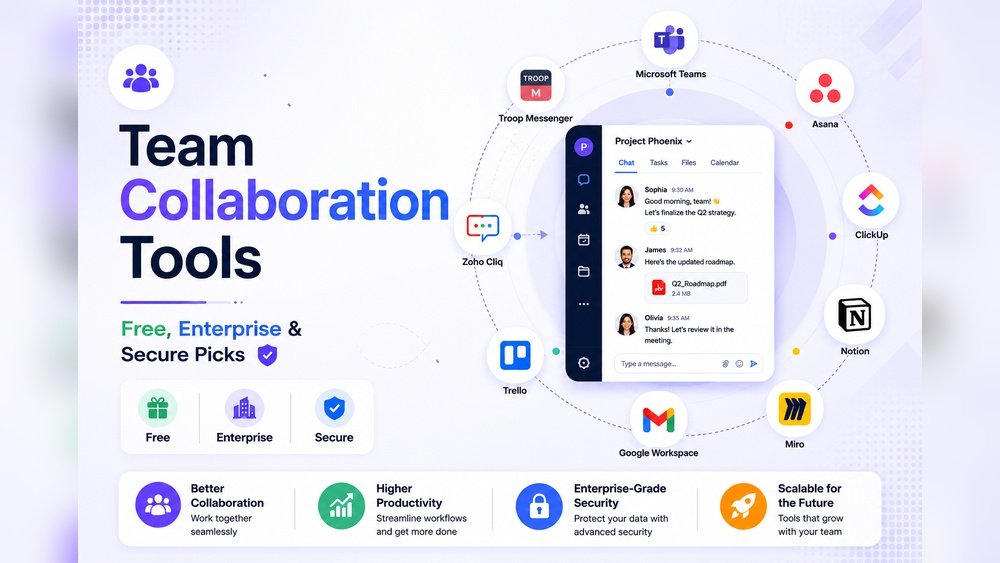
In today’s fast-changing work world, team collaboration software is not just “nice to have”—it’s essential. With more teams working across time zones and even continents, the right tools can be the difference between confusion and smooth productivity. By 2026, remote work will be the norm for many companies, and even in-office teams will need smart ways to share files, manage projects, and communicate quickly. But with hundreds of options, choosing the best team collaboration software is not easy.
This article looks at the top platforms in 2026, highlights their unique strengths, and gives practical advice for picking the right fit for your team. Whether you’re a startup, a growing business, or a large enterprise, you’ll learn what makes each tool stand out—and what really matters beyond the sales pitch.
What Makes Great Team Collaboration Software?
Before jumping into the top choices, it’s important to know what sets world-class collaboration tools apart:
- Ease of use: A tool should be simple to learn. Complicated features slow teams down.
- Real-time communication: Instant chat, video, and comments keep everyone in sync.
- Integrated project management: Built-in task boards, calendars, and progress tracking save time.
- File sharing: Secure and fast file exchange is a must.
- Cross-platform support: Teams need tools that work on desktop, mobile, and web.
- Security: End-to-end encryption, strong user controls, and compliance are key.
One insight many teams miss: the best software also helps with asynchronous work—helping users collaborate even when they’re not online at the same time. This is vital as hybrid and global teams grow.
Best Team Collaboration Software In 2026
Let’s look at the leading platforms, what makes them strong, and where they shine.
1. Microsoft Teams
Microsoft Teams remains a powerhouse in 2026. It’s tightly linked with Office 365, which makes it natural for document editing, scheduling, and file storage. Teams is known for its robust video meetings and team chat. The latest version adds AI-powered meeting summaries and smart task suggestions, saving hours each week.
2. Slack
Slack is still a favorite for fast-moving teams. The new 2026 release features deep integration with hundreds of tools—from Google Drive to Jira. Its threaded conversations and powerful search help teams avoid losing important info. Slack’s Workflow Builder makes automating routine tasks simple, even for non-technical users.
3. Asana
While Asana started as a project management tool, by 2026 it’s a full-featured team collaboration suite. Task assignments, timelines, and goal tracking are at its core. Asana’s AI engine now predicts project risks and suggests ways to avoid delays—a feature few competitors offer.
4. Notion
Notion has grown from a note-taking app into an all-in-one workspace. Teams use it for wikis, project plans, and real-time docs. Its 2026 update brings live chat, advanced permissions, and better integration with external tools. Notion’s flexible blocks make it ideal for teams who want to customize their workflow without coding.
5. Google Workspace
Google Workspace (formerly G Suite) is everywhere. Its real-time editing in Docs, Sheets, and Slides is still best-in-class. The 2026 version adds improved Google Chat and Spaces for organized team discussions. Security and compliance tools have also improved, which matters for regulated industries.
6. Clickup
ClickUp is the “all-in-one” platform that combines chat, tasks, docs, and goals. It stands out for its custom views—teams can switch between Kanban, Gantt, or list modes. ClickUp’s new AI assistant helps prioritize work and automate status updates.
7. Trello
Trello is simple but powerful for visual thinkers. Its card-based boards make project tracking easy. In 2026, Trello’s automation (“Butler”) is smarter, handling recurring tasks and even suggesting changes based on team habits.
8. Monday.com
Monday.com excels at flexible project tracking and reporting. Its dashboard gives leaders an instant view of where projects stand. The 2026 edition uses machine learning to spot bottlenecks and forecast workloads, making it popular with larger teams.
9. Zoom Team Chat
Zoom is known for meetings, but its Team Chat platform is gaining ground. It offers persistent chat rooms, secure file sharing, and seamless switch from chat to video. Integration with Zoom Whiteboard allows real-time brainstorming, even for remote groups.
10. Basecamp
Basecamp focuses on simplicity and clarity. It combines message boards, to-do lists, group chat, and file storage in one place. While less flashy, its “less is more” approach makes it a favorite for teams who want less noise and more focus.

Credit: zapier.com
Quick Comparison: Features At A Glance
To help you compare, here’s a snapshot of the key features across these platforms:
| Software | Chat | Video Calls | Task Mgmt | Docs/Wiki | AI Features |
|---|---|---|---|---|---|
| Microsoft Teams | Yes | Yes | Yes | Yes | Advanced |
| Slack | Yes | Basic | No | Limited | Moderate |
| Asana | Basic | No | Yes | Yes | Advanced |
| Notion | Yes | No | Yes | Yes | Moderate |
| Google Workspace | Yes | Yes | Limited | Yes | Basic |
How To Choose The Right Software For Your Team
Every team is unique. Here are steps to find the best team collaboration software for your needs:
- Identify your main pain points. Do you struggle more with communication, project tracking, or file sharing?
- Test with a small group. Most platforms offer free trials. Let a pilot team try the tool for a week.
- Check integration needs. Make sure the software connects easily with the tools your team already uses.
- Review security and compliance. If you work in healthcare, finance, or government, strong security is a must.
- Compare total cost. Consider not just licenses, but training, support, and potential downtime.
One insight: Don’t focus only on features. Some tools do everything, but if your team finds it confusing, productivity drops. Involve real users in the final choice.

Credit: www.kanbanchi.com
Cost Comparison
Pricing changes often, but here’s a rough overview for 2026:
| Software | Free Plan | Paid Plan (per user/month) |
|---|---|---|
| Microsoft Teams | Yes | $8–$20 |
| Slack | Yes | $7–$15 |
| Asana | Yes | $10–$24 |
| Notion | Yes | $8–$18 |
| ClickUp | Yes | $7–$19 |
For the most current pricing and features, check the official G2 Collaboration Software page.
Frequently Asked Questions
What Is The Most Secure Team Collaboration Software In 2026?
Microsoft Teams and Google Workspace are top choices for security, offering end-to-end encryption and compliance with major standards. Always check the latest certifications for your industry.
Can Small Teams Use These Tools For Free?
Yes, most offer free plans with core features. However, advanced tools like AI and detailed reporting are usually in paid versions.
Which Software Is Best For Global, Remote Teams?
Slack, Microsoft Teams, and Notion are strong for international teams due to their mobile apps, language support, and timezone-friendly features.
How Do Ai Features Help With Teamwork?
AI can automate routine tasks, summarize meetings, suggest next steps, and even flag project risks early, making teams faster and more proactive.
What Is The Biggest Mistake Teams Make When Choosing Software?
Many teams pick tools based on popularity, not fit. Always test with real users and focus on what helps your team work better—not just a long list of features.
Choosing the right team collaboration software in 2026 can transform the way your team works. With the right tool, you’ll save time, avoid confusion, and keep every project on track—no matter where your team is in the world.
Credit: baserow.io
