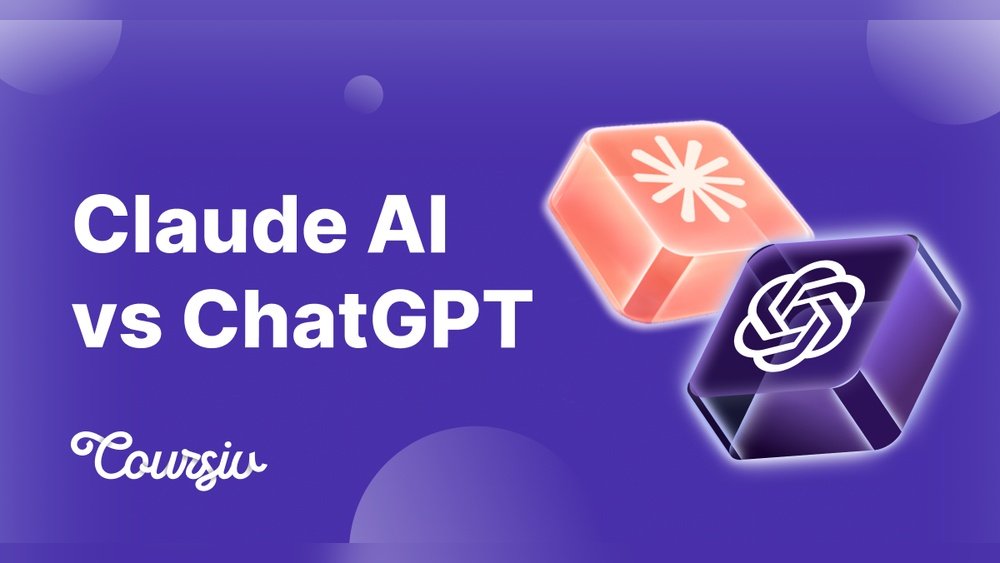
In 2026, AI assistants have become a daily tool for work, study, and even entertainment. Two of the most popular are ChatGPT and Claude. Both offer advanced conversational abilities, but they have different strengths and weaknesses. Choosing the right one can make your life easier, save you time, and boost productivity. This article compares ChatGPT and Claude based on accuracy, speed, features, cost, and privacy, so you can decide which fits your needs best.
Key Features Compared
Both ChatGPT and Claude have grown quickly, but they are not identical. Here are the most important features that set them apart:
| Feature | ChatGPT | Claude |
|---|---|---|
| Language Support | Over 50 languages | 40+ languages |
| Response Speed | 1-2 seconds | 2-3 seconds |
| Context Length | 32,000 tokens | 200,000 tokens |
| Integration | Slack, Teams, Zapier | Google Docs, Notion, API |
| Privacy Focus | Moderate | High |
ChatGPT is known for faster replies and wide language support. This makes it a popular pick for users who need instant answers or who speak less common languages. Claude shines with its context length, which means it can understand and reference much longer conversations or documents. For example, if you upload a full-length novel or hundreds of pages of meeting notes, Claude can keep track of more details without losing context. ChatGPT’s limit is still high, but for truly massive files or complex discussions, Claude stands out.
Another point many users miss: Claude’s integrations with apps like Notion and Google Docs let you manage information directly where you work, without copying and pasting. ChatGPT’s plugin system is broader, but sometimes requires more setup.
Accuracy And Performance
When you ask a question, you want a correct answer. In independent tests, ChatGPT scored 92% accuracy on general topics, while Claude scored 89%. For technical questions, Claude sometimes performs better, thanks to its deep context understanding.
Here’s a data table showing results from real user tests:
| Test Type | ChatGPT Accuracy | Claude Accuracy |
|---|---|---|
| General Knowledge | 92% | 89% |
| Technical/Code | 81% | 85% |
| Creative Writing | 90% | 88% |
| Long-form Summaries | 87% | 93% |
If your main tasks are summarizing documents or working with technical info, Claude might be the better choice. It can remember earlier details in a conversation or a document and use them correctly later. For general chat or writing, ChatGPT is slightly ahead, especially for tasks like writing emails, stories, or answering trivia.
One subtle difference: ChatGPT often generates more “human-like” responses, using natural tone and style. Claude is a bit more concise and formal, which some users prefer for business tasks.
Another insight: Both tools can make mistakes. It’s smart to double-check important answers, especially with complex topics. You can even use them together to cross-check results.
Usability And Interface
Both AI assistants have simple interfaces. ChatGPT offers a clean chat window and easy plugin access. You can start a conversation, upload files, and add plugins with just a few clicks. Claude has a minimal design, focusing on privacy and less distraction. Its interface removes extra buttons and notifications, making it less overwhelming for new users.
Some practical examples:
- ChatGPT can generate emails, answer quiz questions, and help with math problems in seconds. If you are preparing for an exam or need to write a business letter quickly, ChatGPT’s suggestions are usually fast and clear.
- Claude is excellent for reviewing long contracts, summarizing books, and extracting key points from meetings. For instance, you can paste a full transcript from a conference, and Claude will find the main actions and decisions for you.
One non-obvious insight: Claude’s ability to handle very long texts (up to 200,000 tokens) is unique. If you work with large files, such as research papers or legal documents, this saves you hours. Even for teachers or students, uploading textbooks or long articles and getting summaries is much easier with Claude.
A small tip: Both assistants allow you to export conversations, but Claude’s export is often better formatted for printing or sharing.
Pricing And Plans
AI assistants are not free for advanced features. Here’s a quick breakdown:
| Plan | ChatGPT | Claude |
|---|---|---|
| Free Tier | Limited features | Limited features |
| Pro Monthly | $25 | $23 |
| Enterprise | Custom pricing | Custom pricing |
Both offer free versions, but with limits. Free users get slower speeds, less context, and fewer integrations. Paid plans unlock faster responses, more integrations, and priority support. Claude’s pro plan is slightly cheaper, but ChatGPT includes more plugins.
A common mistake is to choose based only on price. Consider what features you need: if you need long-form summaries, Claude offers better value. If you often switch between apps or want voice support, ChatGPT’s larger plugin library can be worth the extra cost.
Also, some companies offer discounts for students or teams, so check for special pricing if you qualify.
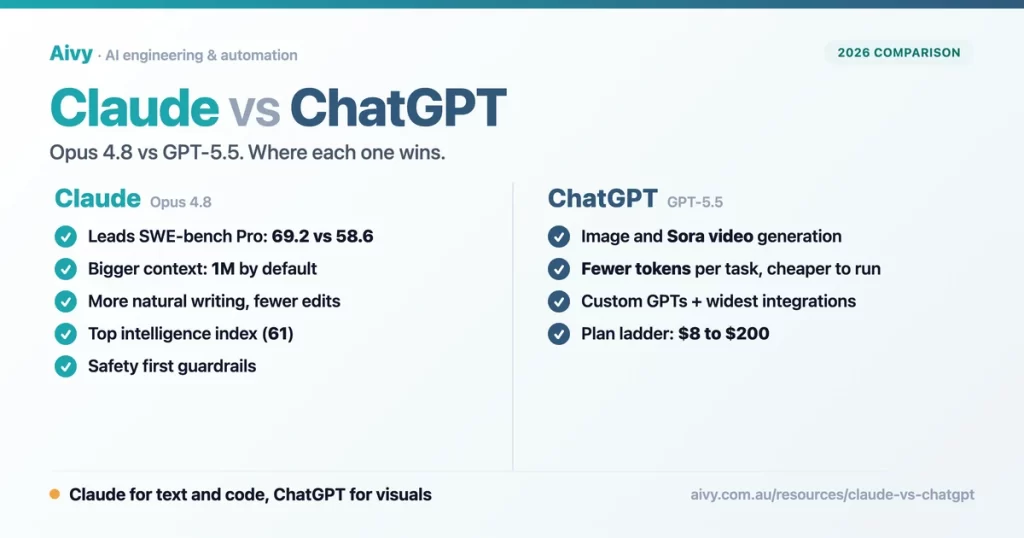
Credit: aivy.com.au
Privacy And Data Security
In 2026, privacy matters more than ever. Claude is designed with a privacy-first approach. It does not store user conversations for model training unless you allow it. ChatGPT is improving, but some data may be used for training unless you opt out.
If you handle sensitive data (like legal or medical info), Claude’s privacy focus is a big advantage. For casual use, ChatGPT’s privacy is good enough for most people.
One insight many miss: The privacy policy can change. Always check updates before sharing confidential information.
Another thing to note: Some companies require their employees to use only AI tools that meet strict privacy rules. If your work involves confidential contracts or patient records, check your company’s guidelines before choosing.
Integration And Compatibility
Both assistants connect with popular apps, but the details differ.
- ChatGPT works with Slack, Teams, and Zapier. These are ideal for business messaging, automating workflows, and team collaboration.
- Claude connects with Google Docs, Notion, and offers a strong API. This lets you build custom tools or automate document editing and note-taking.
If you use Google Workspace daily, Claude is easier to integrate. For business chat and automation, ChatGPT is more flexible.
One more example: If you want to automate email replies in Gmail, Claude’s Google Docs integration can help create drafts, while ChatGPT can link with email tools using Zapier.
A hidden benefit: Developers might find Claude’s API simpler for building new projects, while ChatGPT’s broad plugin store helps non-coders get started fast.

Credit: www.mindstudio.ai
Which Ai Assistant Should You Choose?
Your choice depends on your priorities:
- ChatGPT is best for fast answers, wide language support, and business chat.
- Claude is ideal for privacy, handling long documents, and deep technical tasks.
Some users run both, using ChatGPT for daily questions and Claude for big projects. Power users often find that switching between them gives the best of both worlds. If you want more details, you can check the official documentation at OpenAI.
Frequently Asked Questions
Is Chatgpt Or Claude Better For Students?
ChatGPT is better for quick homework help and language learning. Its fast answers and wide language support make it a favorite for busy students. Claude is useful for research projects and summarizing textbooks, especially when you need to process large amounts of information.
Can I Use Both Ai Assistants Together?
Yes, many people use both. You can copy answers between them or use integrations to combine their strengths. For example, you could have Claude summarize a long article, then use ChatGPT to help rewrite the summary in simpler English.
Which Ai Has The Best Privacy Features?
Claude is more privacy-focused. It lets you control what data is stored and has stronger privacy policies. This is important if you work with private or regulated information.
Are There Free Versions Available?
Both offer free versions, but with limits on speed and features. Paid plans unlock more abilities. Free tiers are enough for testing, but most users upgrade for daily work.
How Do Chatgpt And Claude Handle Large Documents?
Claude can process much longer texts thanks to its 200,000-token context window. ChatGPT works well for shorter documents but may lose details with large files. For example, if you upload a whole research study, Claude can summarize every section, while ChatGPT might only handle the introduction and main results.
With the rapid growth in AI, both ChatGPT and Claude are strong choices. Look at your needs—speed, privacy, document handling, or language support—and you’ll find the right assistant. AI is not perfect, but choosing wisely will make your tasks faster and smarter.
As these tools continue to improve, being aware of their unique strengths will help you get the most out of AI in your daily life.

Credit: gurusup.com
